
This feature will allow you to remove people who have not recently confirmed their status on the list. This works hand-in-hand with the Removals and Confirmations feature.
How-To
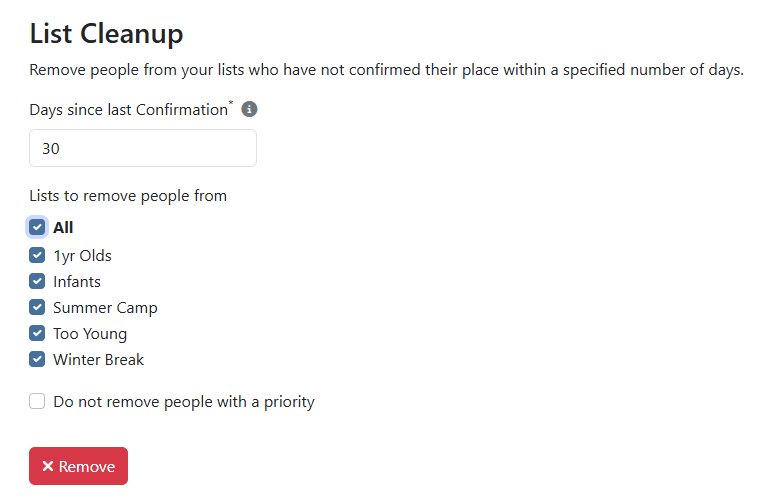
Go to Settings > Site Settings > Lists > List Cleanup
- Days Since Last Confirmation – Used to determine the cutoff for people to remove. If today is the 30th, and you enter 10, we will remove everyone that has either never confirmed, or who’s most recent confirmation date is prior to the 20th.
- Lists to remove people from – Choose which lists you want to remove people from, or select All Lists.
- Do not remove people with a priority – If checked people with any priority set will not be removed regardless of their latest confirmation date.
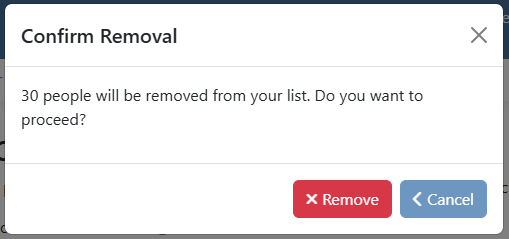
After clicking Remove, you will be prompted to confirm. You will also get a preview of how many people will be removed.
Results
Once complete, the identified people will be removed from the list. You can view all of the people removed in the List Removals page with a Reason of List Cleanup.
Notes
You should use this feature with caution and have a good understanding of which people will be impacted. There is a list filter for Confirmed Since so you can look at the people on each list who have confirmed within your suggested time frame.
When setting Days Since Last Confirmation be careful to consider your Reminder Email Frequency. If you have your frequency set to every 3 months, you more than likely will want to set your Days Since Last Confirmation to something greater than 90 days, or else you risk removing someone who has never received a reminder email.
Also, if a person does not have a person in their family with an email address, they would also have never received a reminder email.